Panels
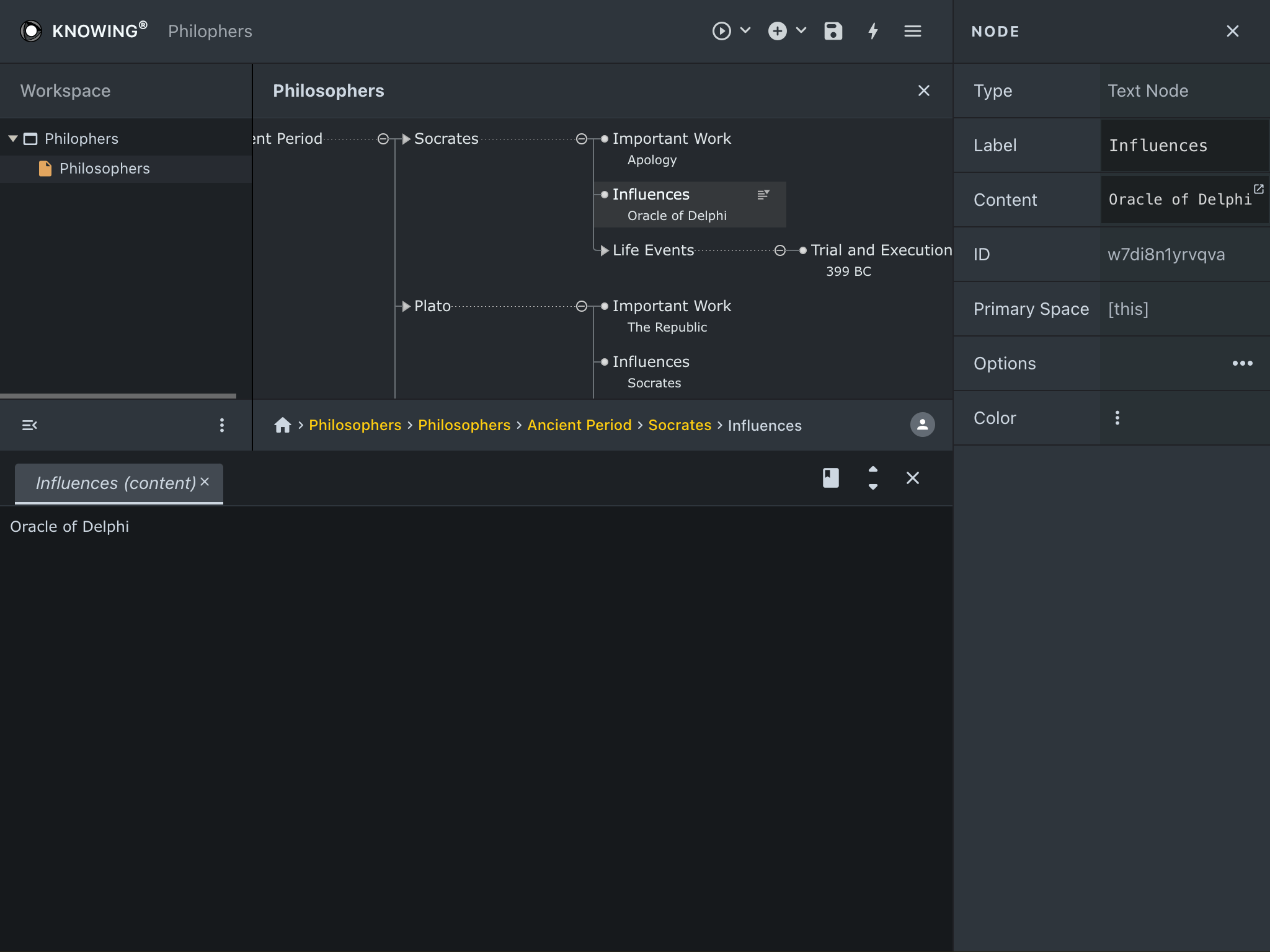
Inspector Panel
- The Inspector can be accessed through the action menu in the header or by pressing the keyboard shortcut (Alt + I).
- It provides detailed information on selected nodes.
Node Properties
- Label: The name or title of the node.
- Content: Text content associated with the node. This content can be edited in a larger area (bottom of image above) by clicking on the small edit external button next to the content in the node inspector.
- ID: A unique identifier for the node within the tree.
- Primary Space: Specifies the primary space for the node.
- Checkbox Options: Allows you to add checkboxes to nodes, including child nodes.
- Color Selection: Customize node colors to organize visually.